
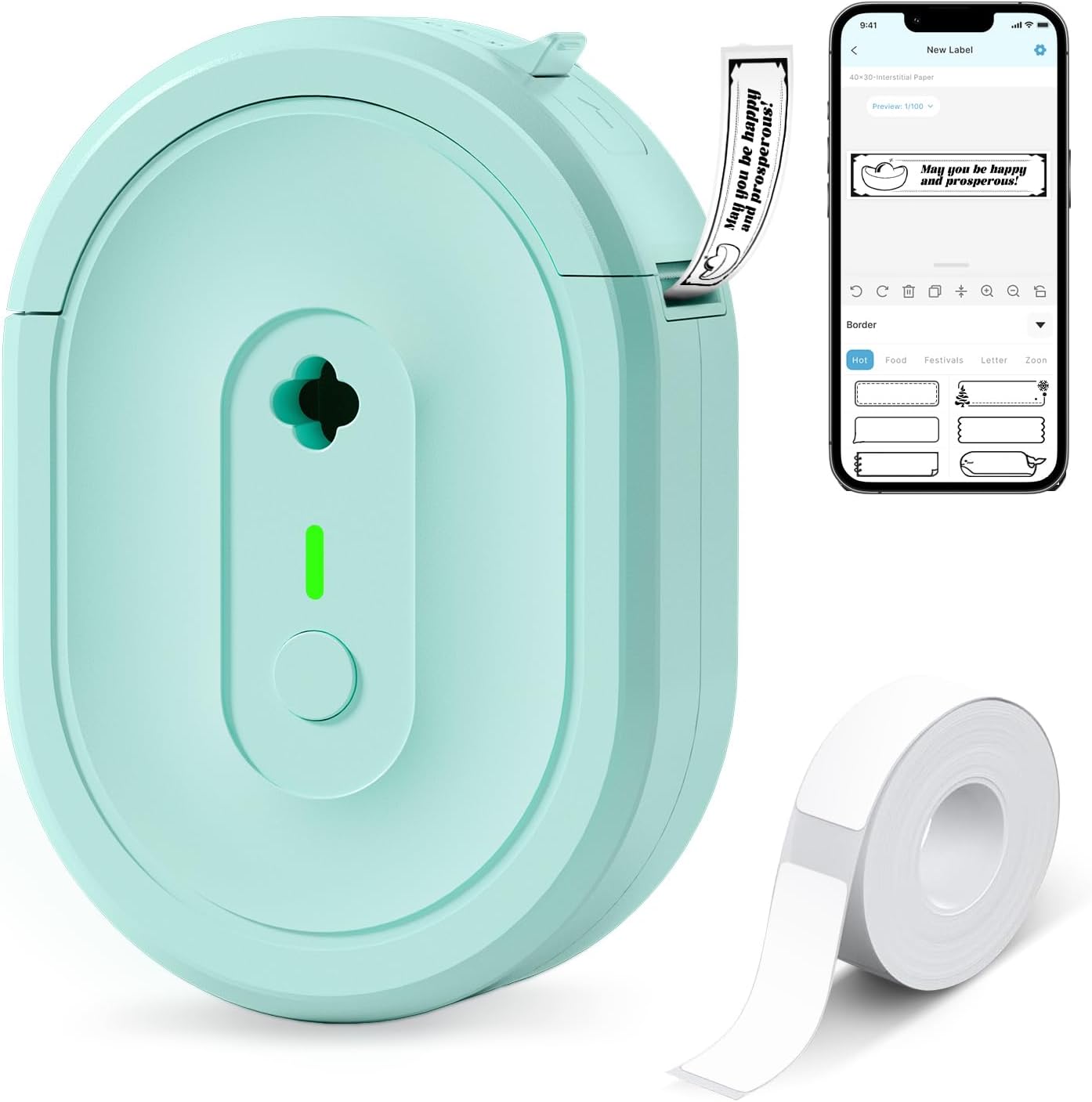
Label Maker Machine with Tape, N12 Portable Bluetooth Label Printer, Wireless Mini Label Makers Thermal Sticker with Multiple Templates for Home, Kitchen, School, Office Organization, Green
Original price was: $19.99.$13.99Current price is: $13.99.



Product description


Warm Tips
Download the “Nada Print” app from the Apple Store/Google Play and comply with applicable data compliance lawsConnect to the Bluetooth via the “Nada Print” APP instead of the phone systemBefore printing, please select the appropriate size of the printing paper on the “Nada Print” App. (The size of the labels included with this machine is 12x40mm.)
Printer output: Direct thermal black and white (only black text, no color printing)
Save Costs: With BPA-Free Direct Thermal Technology, the N12 Bluetooth label maker can print without the need for ink, toner, or ribbons. The label printer is equipped with a built-in rechargeable lithium battery, eliminating the need for battery replacements. Therefore, compared to most label printers, the overall cost is much lower.
Multiple Creative Functions & Templates: The N12 label printer, equipped with Bluetooth wireless technology, allows you to create personalized labels easily via the free “Nada Print” app. This app provides 1,000+ symbols, 270+ frames, and 100+ fonts, making label design convenient and time-saving
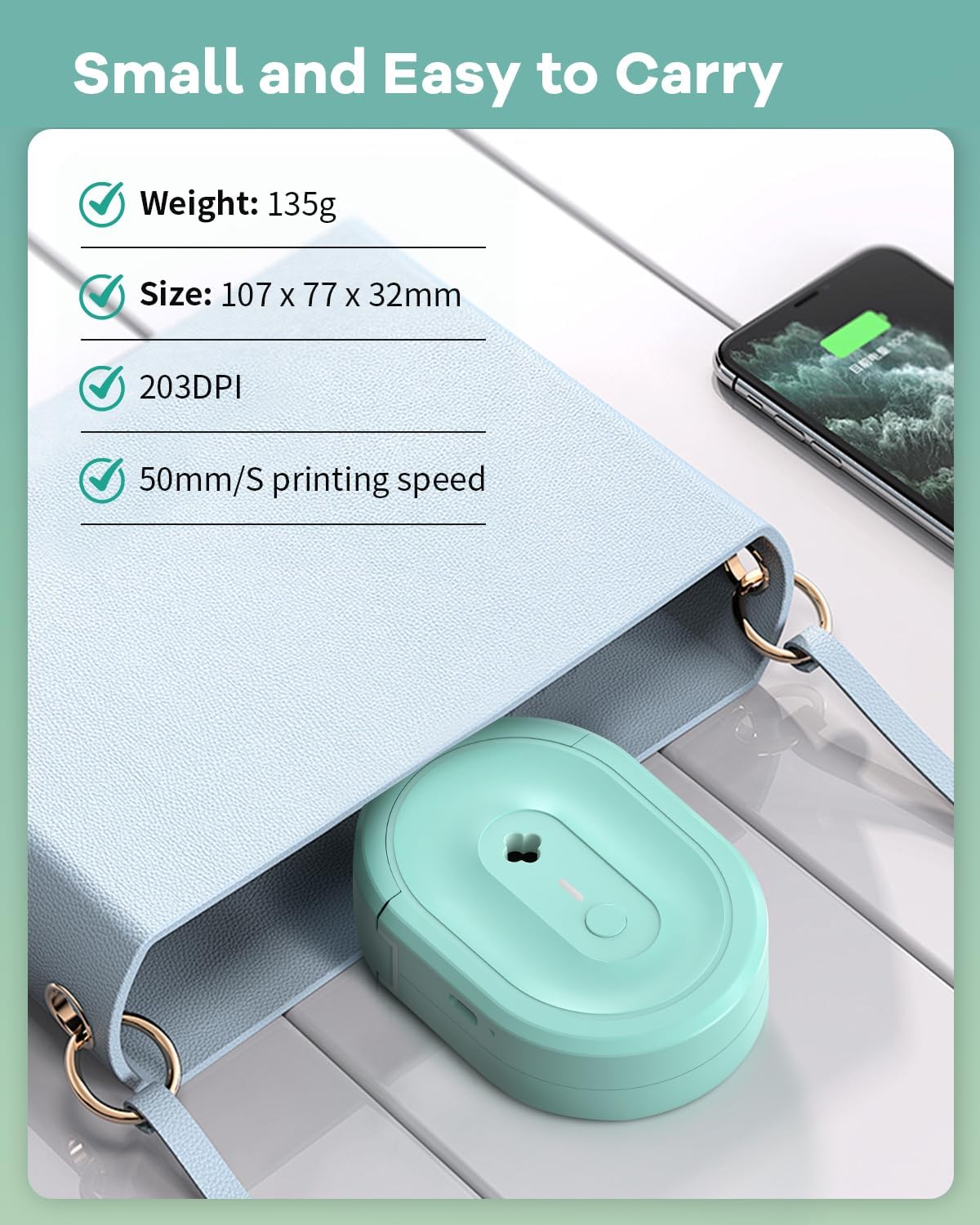
Wireless & Portable: The Nada mini Bluetooth label printer connects via Bluetooth to enable convenient and fast printing from mobile devices (compatible with both iOS and Android systems). The label lengths are fixed and come in various sizes, including 12×40 mm, 14×40 mm, 14×50 mm, 14×75 mm, and more
Ideal for Home Organization: This label maker machine is perfect for home, office, and school use. It aids in kitchen organization, spice labeling, food date marking, and categorizing clothes and cosmetics. It also helps label jars, manage office files, identify cables, and label personal items. For small businesses, it creates price and jewelry tags. In schools, it’s useful for name tags and study notes.
Specification: Label Maker Machine with Tape, N12 Portable Bluetooth Label Printer, Wireless Mini Label Makers Thermal Sticker with Multiple Templates for Home, Kitchen, School, Office Organization, Green
|
8 reviews for Label Maker Machine with Tape, N12 Portable Bluetooth Label Printer, Wireless Mini Label Makers Thermal Sticker with Multiple Templates for Home, Kitchen, School, Office Organization, Green
Add a review
Related Products


Original price was: $19.99.$13.99Current price is: $13.99.

jan gray –
Tiny Label Maker, Huge Organization Upgrade.
I didn’t realize how much chaos I was living in until this little label maker showed up. The N12 portable Bluetooth label printer is honestly one of those small gadgets that ends up being surprisingly useful everywhere.Setup was incredibly easy. I connected it to my phone in seconds, opened the app, and immediately had access to tons of templates, fonts, and little icons. It makes labeling things way more fun than it should be. I’ve already labeled kitchen containers, drawers, cords, skincare bottles, office supplies, and probably a few things that didn’t even need labels — but now they look very official.The print quality is crisp and clear, and I love that it’s thermal so there’s no ink to deal with. The labels stick well and look neat and professional. The machine itself is small, lightweight, and really cute, so it’s easy to keep nearby when organizing.If you like things tidy, organized, or just enjoy the oddly satisfying feeling of labeling everything in sight, this little label maker is fantastic. Simple, convenient, and surprisingly addictive to use.
Pedro –
Very versatile and easy to use!
I’m very impressed with this portable label printer. It has been a game-changer for organizing my home. The Bluetooth connection is stable, and the best part is the customization—being able to include images makes the labels look much more professional and fun. It’s small enough to carry anywhere and the print quality is great for its size.
Gena L. –
Great for labeling houseplants
I use this to label my many indoor plants. It’s pretty easy to use once you get the hang of it. You can adjust the font, size, etc and customize each label how you’d like. Very happy with my purchase.
WafflesandWhine –
Cute and speedy little label maker!
This N12 portable Bluetooth label maker is adorable and super convenient. It connects easily to my phone, and I love how quickly it prints clean, clear labels — perfect for organizing classroom supplies and home items. The design is small and stylish, which makes it easy to store or toss in a bag. Some of the font options in the app don’t seem to load for me — possibly a Wi-Fi issue — but otherwise, it works great. Overall, a fun and efficient label maker that makes organizing a little more enjoyable!
Miriah Kincaid –
Easy to use
I love this printer. It’s so easy to use with the app and prints with no issues. If you need something portable and simple this is perfect. I’ve dropped it a few times and so has my littles, it definitely stands up to our house of durability. The thing is also so quiet I always have to make sure it printed because I don’t hear it 😅
foundbyXtopher –
Compact, Easy, and Seriously Fun to Use!
I’ve tried a few label makers over the years, but the N12 Bluetooth Label Maker is by far the most convenient. It’s small enough to slip into a bag or drawer, connects instantly through Bluetooth, and the Nada Print app is surprisingly easy to use. I created my first label within two minutes.I’ve used it for everything — labeling spice jars, charging cables, and folders for work. The app’s templates and symbols are great; I even added a little barcode to one of my storage bins just to test it out. The print quality is crisp and clear, and I love that it doesn’t need ink or toner — it uses BPA-free direct thermal technology, which saves money and mess.The rechargeable battery lasts much longer than I expected, and the portable size makes it perfect for keeping organized on the go. If you’re someone who loves order or runs a small business, this label printer is a total game-changer.Keywords (naturally embedded): N12 Bluetooth Label Maker, Nada Print app, thermal printing, portable label maker, home organization, office labeling, rechargeable battery, barcode printer, inkless label printer
as44 –
App Update Causing Not Centered Labels
I got this label maker a few months ago and use it heavily in labeling leftovers. I loved it at first; good connectivity, worth the money, useful, easy to set up, but up until recently… no. They changed parts of the app and I’m pretty sure this is what is messing up my labels to the point where it isn’t printing centered. I was able to fix it, after a LOT of trial and error. Have you ever heard the phrase “if it ain’t broke, don’t fix it”? Well, it wasn’t broke, and they fixed it.When I first started typing this review, I thought it was the fact that the printer couldn’t rebound from a wrong selection in paper type. In the past, when I selected the wrong paper and printed it, it was no big deal; I fix it and printed it again and all was good. When I made this mistake now, I corrected for it, and the printing error still occurred. I thought that my printer couldn’t rebound from a wrong selection; I was wrong. After some more investigation, I realized that the initial misprint wasn’t due to the initial wrong selection in paper… it’s because when I select gap paper, it changes itself to continuous paper, even though that’s not what I initially selected. The fix? You need to select a label from your history when the printer actually worked. This way, it won’t change the paper type on you. However, if you’re experiencing the issue as a new buyer, just know you won’t have a history to go off of. Check the paper selections after selecting print on the bottom right of the screen!!As for the app changes, the part of the app that changed from when I first got the app was the part where you select the size and type of label paper you have. The label paper selections are all in a language I don’t know (wasn’t like that before, but I was able to translate it). The size selection is still straight forward.And yes, I tried turning it off and on again and starting with the correct label selections – still no luck, as it still changes itself to continuous paper no matter what I initially select. My recommendation to correct this: just use a previous printing record. I was able to fix mine where it doesn’t switch to continuous.
Kindle Customer –
Very very good
This thing is so freaking cool. It basically prints anything you want. Pictures or text. I printed 50 barcodes for the back of my books tham I sell in less than a minute.